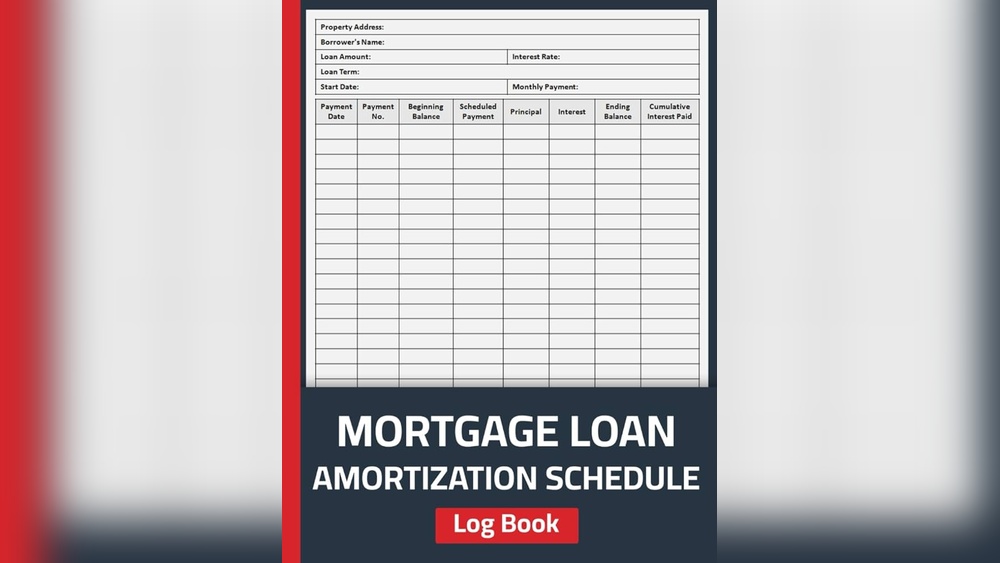
If you’re managing a mortgage, understanding your Mortgage Loan Ledger Report can make all the difference. This report is more than just numbers—it’s your clear snapshot of every payment you’ve made, every interest charge, and how your loan balance changes over time.
Imagine having a simple, organized way to track your mortgage progress, avoid surprises, and plan your finances with confidence. Whether you’re a homeowner, investor, or simply want to stay on top of your loan details, this guide will walk you through what a Mortgage Loan Ledger Report is, why it matters, and how to use it to your advantage.
Keep reading to take control of your mortgage like never before.
Mortgage Loan Ledger Basics
A mortgage loan ledger is a detailed record of all loan transactions. It shows the loan balance, payment dates, and how payments are applied. This report helps track the principal, interest, and any fees over time.
The key parts of a ledger report include borrower information, loan number, and opening balance. It lists every payment made, including the amount and date. It also shows how payments affect the loan balance.
Mortgage ledgers keep a clear history of payments and charges. They show whether payments were on time or missed. This helps lenders verify the payment history and ensures accuracy in the loan account.

Creating Your Mortgage Loan Ledger
Gather all loan details such as the loan amount, interest rate, and term. Include the borrower’s name and account number for easy reference. Collect the payment schedule and any escrow details.
Record each payment transaction with the date, amount paid, and type of payment. Track principal and interest portions separately. Note any fees or late charges to keep the ledger accurate.
| Tool/Software | Key Features | Best For |
|---|---|---|
| Excel or Google Sheets | Customizable, easy to use, cost-free | Small loans or personal use |
| Mortgage Management Software | Automated calculations, payment reminders | Professional loan management |
| Accounting Software (e.g., QuickBooks) | Integrated financial tracking, reporting | Businesses managing multiple loans |
Reading Your Ledger Report
Account balances show the current amount owed on your mortgage. They update after each payment and charge. Checking these balances helps you track how much you still owe versus how much you have paid.
Transaction details include dates, payment amounts, and fees. Each entry shows if a payment was made, interest charged, or other adjustments. Reviewing these helps you understand how your loan balance changes over time.
Watch for errors or red flags such as incorrect payment amounts or unexpected fees. Mistakes can increase what you owe. Spotting these early can save money and prevent future problems. Always compare your statement to your records.
Using Ledger Reports For Loan Management
Mortgage loan ledger reports help track all your payments clearly. They show the date and amount of each payment made. This keeps a detailed history for you and your lender.
These reports also let you monitor loan progress. You can see how much principal and interest you have paid. This helps you understand how much you still owe.
Before refinancing or selling, a ledger report is very useful. It provides proof of your payment history. This can speed up approval and give you better loan terms.
| Use | Benefit |
|---|---|
| Tracking Payment History | Shows all payments with dates and amounts |
| Monitoring Loan Progress | Displays remaining balance and interest paid |
| Preparing for Refinancing or Sale | Provides proof of payments for lenders and buyers |
Mortgage Ledger And Compliance
Record keeping for mortgage ledgers is essential for accuracy and legal compliance. Mortgage lenders must keep detailed records of all transactions, balances, and payment dates. These records help track loan progress and ensure transparent financial reporting.
Regulatory bodies require lenders to maintain complete loan information. This includes loan amounts, interest rates, payment schedules, and borrower details. Proper documentation protects both the lender and borrower from disputes.
Protecting financial information is critical. Sensitive data must be stored securely to avoid theft or misuse. Many lenders use encrypted systems and restricted access to safeguard data. This helps maintain trust and confidentiality throughout the loan process.
Advanced Ledger Features
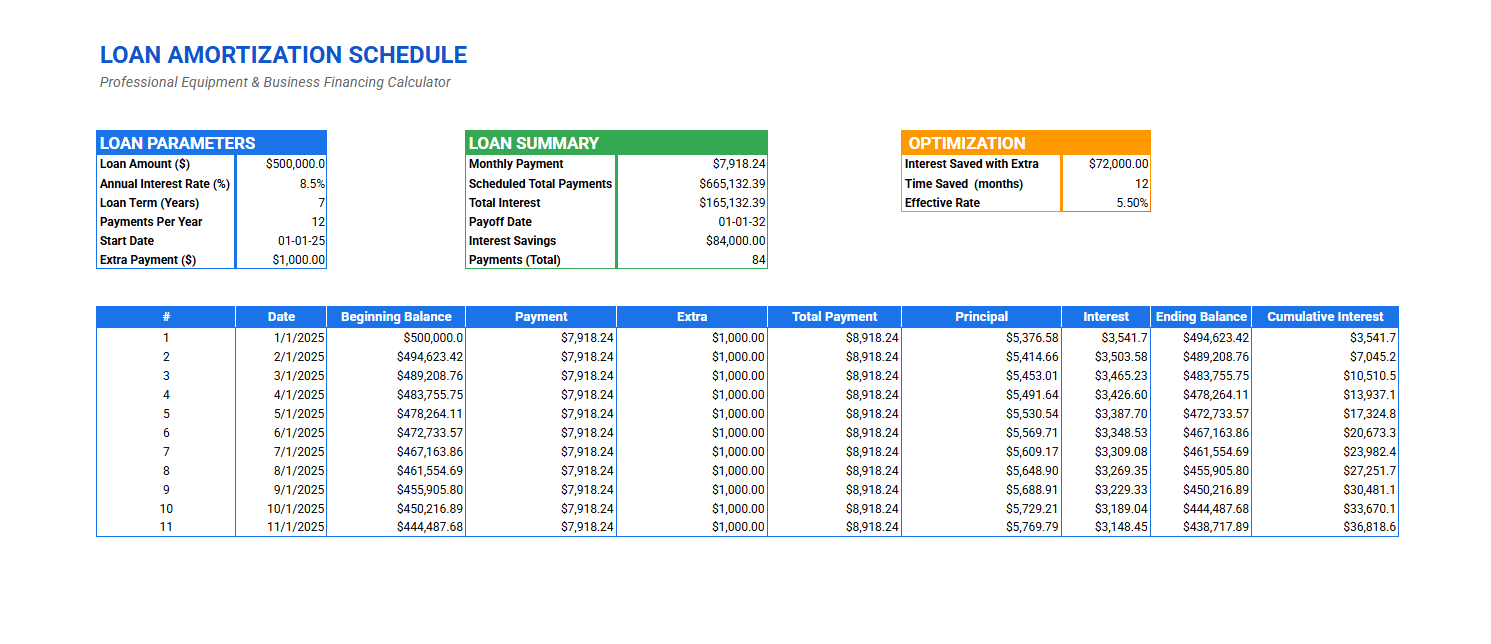
Amortization schedules show how each payment splits between principal and interest. They help track loan balance over time.
Interest and escrow tracking keeps records of interest accrued and escrow payments. This ensures accurate payment management.
Custom reporting and analysis allows users to create tailored reports. These reports help understand loan status and payment history better.
Common Challenges And Solutions
Discrepancies in mortgage loan ledger reports often arise from data entry errors or timing issues. Checking each transaction carefully helps find mistakes quickly. Cross-referencing payment records with bank statements ensures accuracy. Clear communication with lenders or borrowers is key to resolving conflicts fast.
Complex transactions can confuse ledgers. These include partial payments, refinancing, or escrow adjustments. Breaking down each transaction into smaller parts helps track amounts clearly. Keeping notes on special cases supports easier review later.
Choosing the right reporting tools simplifies ledger management. Software with automated calculations reduces human errors. Features like real-time updates and easy export options save time. Look for tools that offer clear visuals and simple reports to aid understanding.
Frequently Asked Questions
What Is A Loan Ledger?
A loan ledger is a detailed record of all loan transactions. It tracks payments, balances, interest, and principal over time. Lenders use it to monitor loan status and payment history accurately. This report helps ensure clear financial management and supports loan reconciliation.
How To Make A Ledger Report?
To make a ledger report, list account names, codes, and opening balances. Record all transactions with dates and descriptions. Summarize debits and credits to show account balances clearly. Review for accuracy before finalizing the report.
What Are The Red Flags On Bank Statements For Mortgage Lenders?
Red flags on bank statements include large unexplained deposits, frequent overdrafts, inconsistent income, multiple bounced checks, and unusual transfers. Lenders watch for irregular activity that may indicate financial instability or undisclosed debts. Clear, consistent statements improve mortgage approval chances.
How Does A Ledger Prove Payment History?
A ledger proves payment history by recording all transactions, showing dates, amounts, and balances. It tracks each payment made accurately.
Conclusion
A mortgage loan ledger report helps you track all payments clearly. It shows every transaction and balance for your loan. This report keeps your payment history organized and easy to understand. Using it can prevent confusion and errors in your mortgage records.
Stay informed and manage your loan with confidence by reviewing your ledger regularly.
Read More
- Loan Consolidation Planning Tool: Simplify Debt & Save Money Fast
- Home Loan Repayment Tracker: Simplify and Save Big Today
- Debt Payoff Ledger Template: Simplify Your Path to Freedom
- Mortgage Balance Payoff Plan: Smart Strategies to Save Fast
- Loan Management Ledger Tool: Streamline Your Loan Tracking Today
- Debt Snowball Calculator Online: Simplify Your Debt Payoff Today
- Installment Loan Payment Tracker: Simplify & Manage Your Debt Easily
- Business Loan Repayment Schedule: Master Your Finances Easily
- Commercial Finance Ledger: Master Your Business Finances Today
- Small Business Funding Tracker: Ultimate Guide to Boost Your Capital